In this blog I thought I'd give 3 examples of how you can use Copilot within your favourite 365 app to save time or to accomplish things beyond your normal ability!
Looking up data in Excel
For this example, suppose that you have a worksheet listing out popular films:
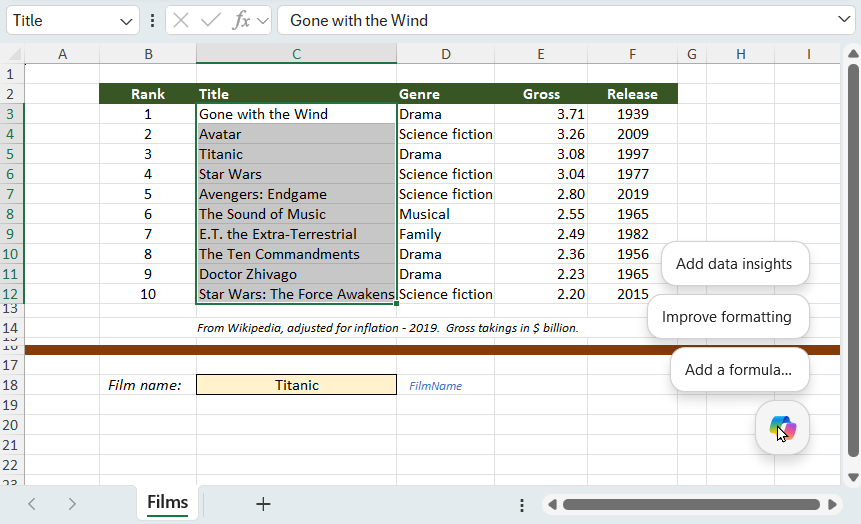
I've given each column a range name using the column title (so for example the range shown selected above is called Title).
You could then click on the Copilot icon at the bottom right of the screen (this will appear if you have a 365 licence):
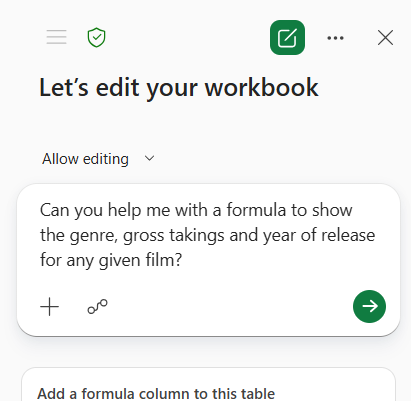
Here's what I've gone for in this case. Notice how I haven't used any cell references: I'm leaving Copilot the job of working out what I mean from the context.
Copilot then talks through what it's doing:
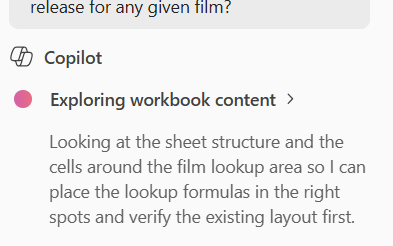
It's good to see what's going on inside the model ...
Copilot then tells you the formula it's created:
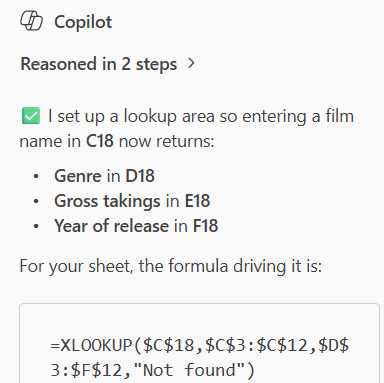
It's great the way that Copilot explains its assumptions. We'll talk about the formula in a second!
Here are the answers:
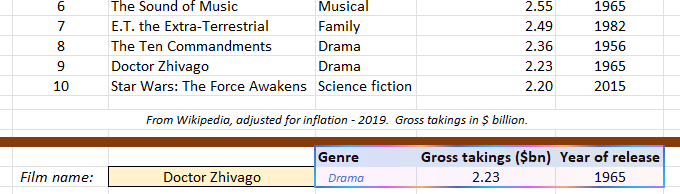
I've changed Titanic to Doctor Zhivago to test this out - everything looks good.
Here's the Copilot formula, compared with what I would have written:
Author | Formula |
|---|
Copilot | =XLOOKUP($C$18,$C$3:$C$12,$D$3:$F$12,"Not found") |
Andy Owl | =XLOOKUP($C$18,Title,D3:F12,"No such film") |
My formula has two advantages:
I've used the built-in range name to refer to the list of titles (using a range name makes formulae easier to write, maintain and read).
I've created a formula which will spill the results for the genre into the two columns to its right, rather than creating a formula for a single cell which I'd then have to copy across.
Verdict? Copilot has done a fantastic job of interpreting my spreadsheet and picking the right formula to solve my problem, and entering it in exactly the right place. However, I have two worries:
Worry | More notes |
|---|
I won't learn | If I delegate to Copilot responsibility for solving difficult problems in Excel, I will never learn anything (and I won't know how to check if Copilot has got things right). |
I could do better | It's often the case in computing that you can solve an immediate problem in a way which builds up problems of maintainability for the future. Copilot's solution works, but if I keep adopting suboptimal solutions like this I'll end up with a clunky spreadsheet. |
I think if youi're not an Excel guru and just want to solve business problems Copilot will be a great tool to use, but just be aware that you'll be passing up the chance to advance your learning if you delegate responsibility to an AI tool.
Creating Word documents
For this example I initially asked Copilot to update a very old Word 97 courseware manual chapter to Word 365. It did a good job of adding content but couldn't cope with the positioning of graphics. However, I decided that this was neither a fair example nor a particularly useful one, so have gone with this one instead:
Please write a single page letter to my daughter Fenella Buttercup explaining why we shouldn’t buy a second cat.
Copilot explains what it has done:
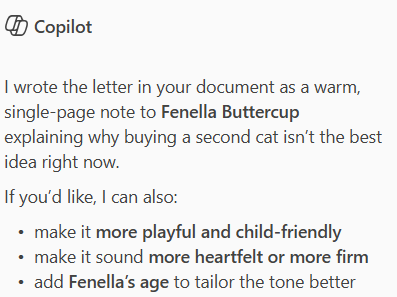
Interestingly, Copilot hasn't questioned why we would call our daughter Fenella Buttercup ...
The letter was pretty good (I'll show it soon), but let's spice it up:
Please can you add a picture or two to make the letter more interesting to read. This will need you to break the page probably.
Sadly, Copilot couldn't help with this:
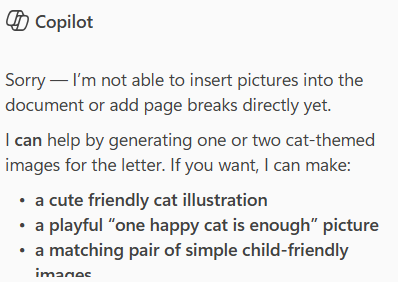
This doesn't surprise me. Image handling in Word is notoriously temperamental and complicated!
Here, then, is the letter that Copilot wrote:

This is a great letter, but I didn't need to use Copilot within Word to write it.
My suspicion about using Copilot within Word - reinforced by this test - is that it will be great for generating new, text-based content, but not much use for creating or editing existing content where styles, outline numbering or graphics are involved.
Improving presentation design in PowerPoint
I opened the following very dated three-slide presentation in PowerPoint:
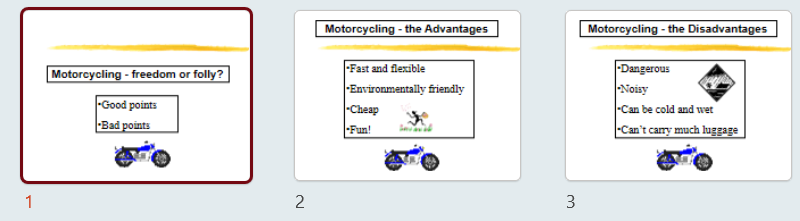
I think everyone would agree that this is a bit ... 1990s.
I then asked Copilot to improve it:
This is a very dated presentation. Please could you refresh its design so it uses the colours and logo from www.wiseowl.co.uk.
The results were disappointing:
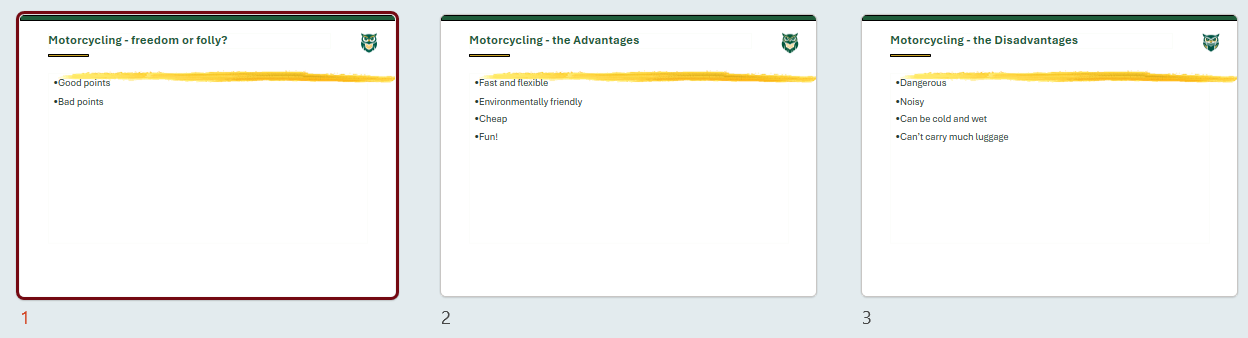
Copilot has improved the titles and added a logo, but neither the colour scheme nor the logo are taken from our website as requested.
This was so bad that I decided to give Copilot another go, but this time starting from scratch. So I typed into Copilot within PowerPoint:
Please create a presentation summarising the pros and cons of motorcycling. This should have 3 slides: a summary one to start, one listing the pros of motorcycling and then one listing the cons. If you can use a design taking colours and logos from www.wiseowl.co.uk that would be great, but please make it visually interesting and well-designed.
After a while Copilot asked me 4 questions. Here's one of them:
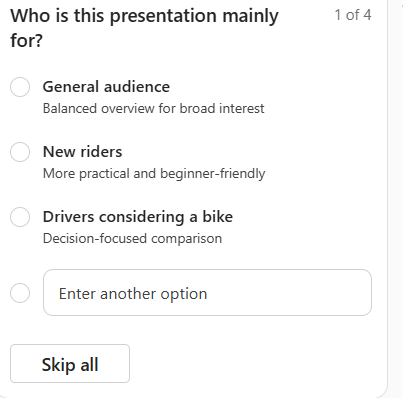
I like this idea - asking me for more information so Copilot can give me a better answer.
For the final question, I decided not to choose a template:
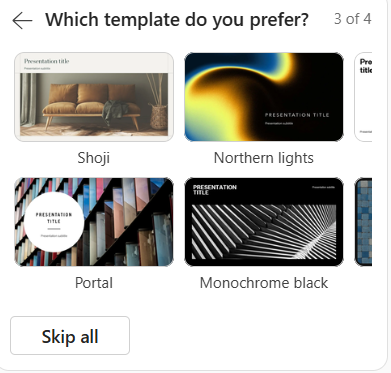
I don't like any of these, so decided to skip the question.
Here's the final presentation:
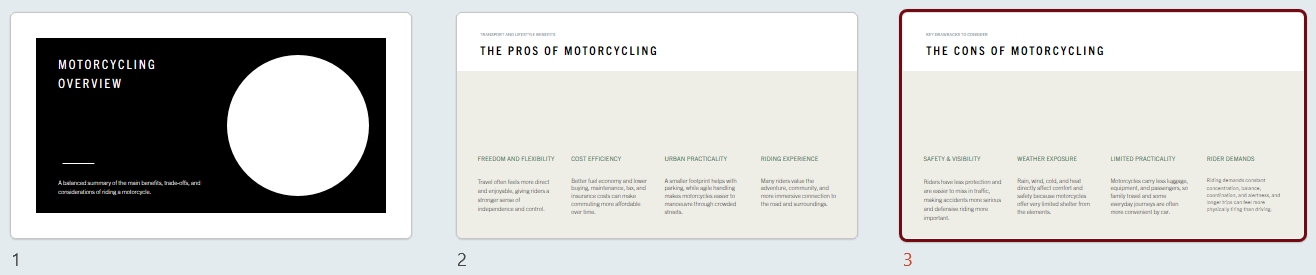
Functionally this is OK, but ...
Here's a quick list of what I don't like about this:
Dislike | Reasons |
|---|
Consistency of theme | The design on page 1 is different from that on pages 2 and 3. |
Visual interest | The second and third slides are ... dull. |
Choice of images | The image of a circle on the first slide is irrelevant to the theme. |
Lack of branding | Copilot has incorporated nothing from our website - not even the colours. |
Layout of slides | Slides 2 and 3 have a strange layout (they look like website footers rather than bullet points) |
Based upon this test I would never use an AI tool to create a presentation (although I might use one to generate ideas for what text to put on each slide).